Help that starts
with your screen.
PilotMe uses a screenshot for your question, unless Privacy mode is on. Ask what you need without knowing the exact menu name.
See how it works
Ask in plain language. PilotMe uses a screenshot of your screen to show—or click—the next supported control.
64-bit Windows · Google sign-in
Questions in plain language. Context from your Windows screen. Help with the next supported control, one step at a time.
PilotMe uses a screenshot for your question, unless Privacy mode is on. Ask what you need without knowing the exact menu name.
See how it worksFind the control you need. A “where is…” question shows it without clicking, so you can take the next action yourself.
PilotMe can carry out supported clicks and some typing steps. Auto clicking starts enabled in the desktop app.
Check the result and ask the next question. Work through a task at the pace of the next useful step.
Esc pauses clicking. Privacy mode skips a question’s screenshot for a text-only turn. Each control has its own purpose.
You shouldn’t need to know the right technical term to ask for help. Start with the question you have.
Type a question, or use the microphone when voice input is available.
The Windows app uses a screenshot for your question. Privacy mode can keep a turn text-only.
PilotMe can show or click a supported control. Ask “what next” to continue; press Esc to pause clicking.
Simulated examples. Actual guidance and supported actions depend on your screen, software, and PilotMe version.
Sign in to PilotMe on Windows and ask by text, or use the mic when available.
PilotMe uses a screenshot for your question, unless Privacy mode is on.
PilotMe highlights or clicks a supported control. Ask “what next” to continue; press Esc to pause clicks.
Find answers about the Windows app, supported actions, getting started, and asking for help.
Visit help & supportPilotMe is one of AiBORG’s products. Explore PicPoem, a separate Android app with its own creative purpose.
 Another product by AiBORG
Give a favourite photo a new voice. Create personalised poems from images, explore artistic styles, and share your creation.
Explore AiBORG products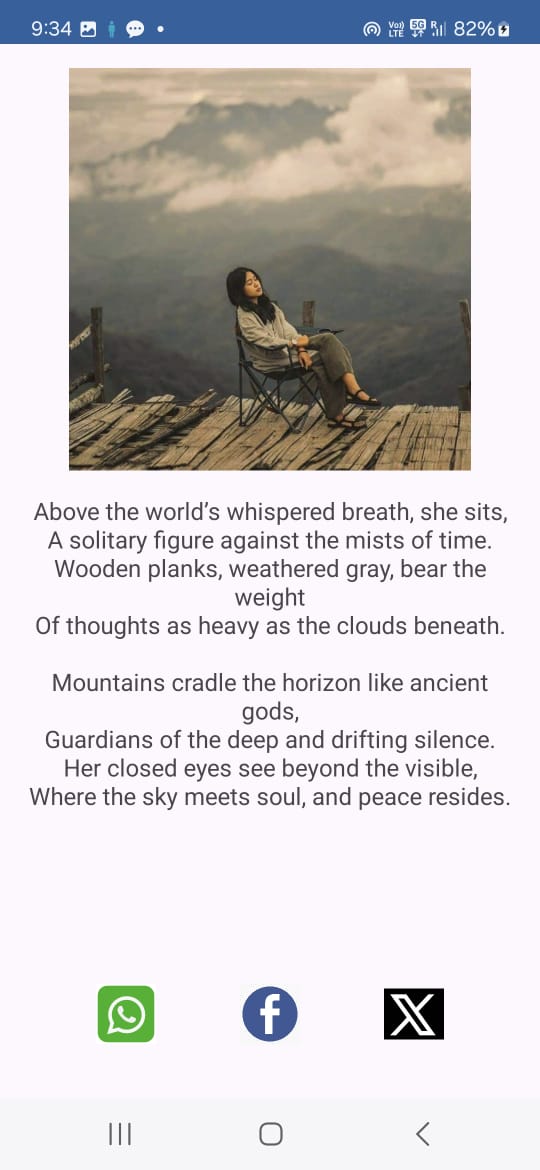 PicPoem · Google Play screenshot
Get PilotMe for your Windows computer and start with the question in front of you.